Template guide
Panel-by-panel breakdown
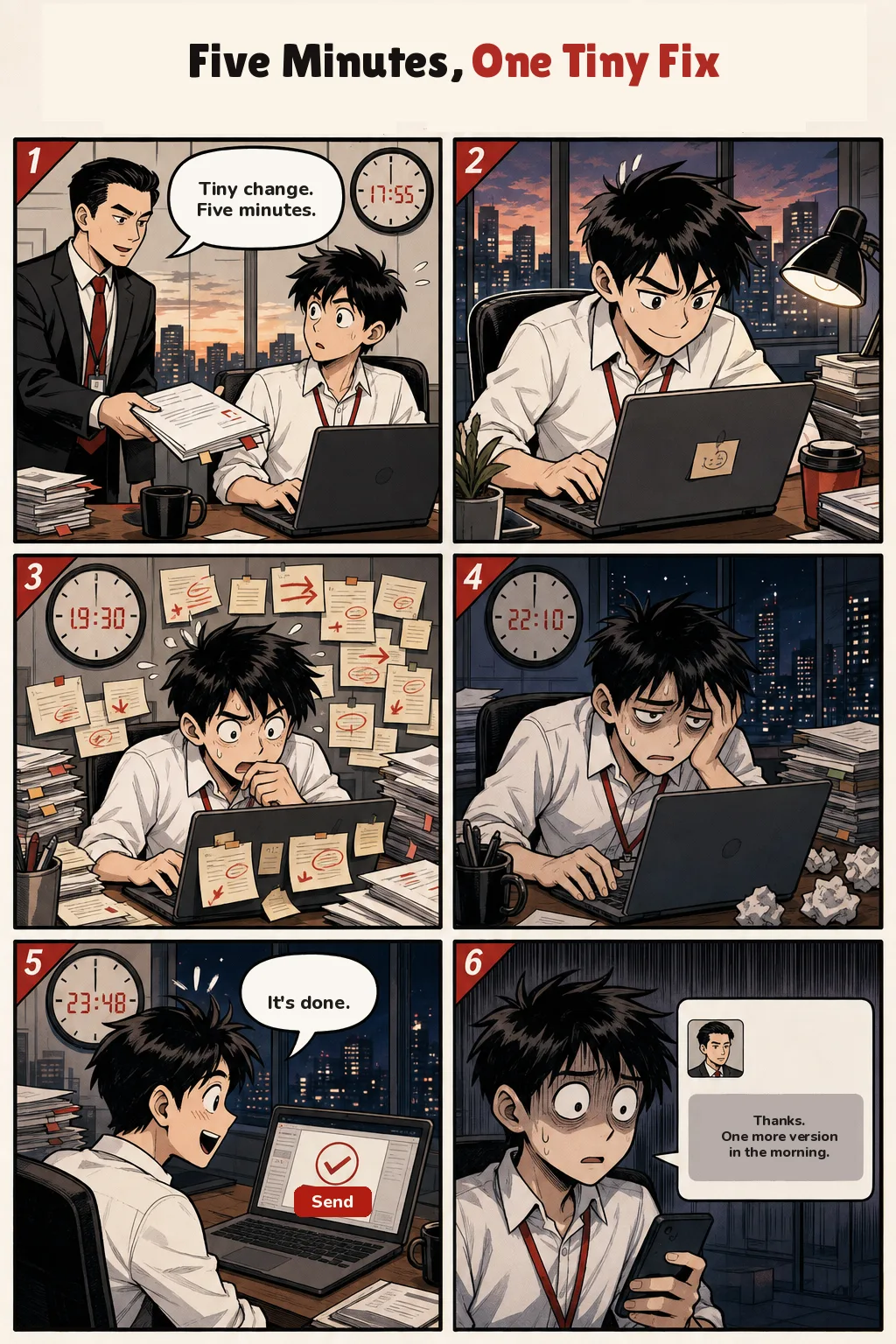
1 · 17:55
A boss in a tie hands over a stack of papers. The employee looks surprised at his laptop. A round clock reads 17:55.
Text on the panel: Tiny change. Five minutes.
2
He types hard under a desk lamp as the sky outside turns orange. A sticky note hangs on the screen.
3 · 19:30
Revision slips with red arrows surround his head. He bites a finger, staring at the laptop. The clock reads 19:30.
4 · 22:10
The office is dark. He leans on one hand, tired, with crumpled paper beside the laptop. The clock reads 22:10.
5 · 23:48
He grins at a laptop screen with a check mark and a red Send button. The clock reads 23:48.
Text on the panel: It's done.
6
He stares at his phone. A message from the boss sits in a gray bubble under a small portrait.
Text on the panel: Thanks. One more version in the morning.
What you get
- Canvas
- 2:3
- Cast
- 2 characters, replaceable with your own
- Type
- Five-Minute Fix
- Common remixes
- Keep the clocks / Change the last ask / School version
Who this template suits
This template suits office jokes about a “quick change” that eats the evening. The clocks do the damage: 17:55, 19:30, 22:10, 23:48. The phone in the last panel takes the win back.
When it is not a good fit
It is not a story where the task really takes five minutes. If the boss is kind, the last bubble has to change.
How to remix Five Minutes, One Tiny Fix
- 1Hand over the file at 17:55 and call it five minutes.
- 2Step the clocks through the evening to 23:48.
- 3After Send, deliver one more version on the phone.
Ways to make it your own
Keep the clocks
Four times from late afternoon to almost midnight are the joke. You can move them, not delete them.
Change the last ask
“One more version in the morning” can become “one more slide” or “same file, new title.” It still arrives after Send.
School version
A teacher and “just fix the ending” works in the same six frames, with the same Send button.
Questions about Five Minutes, One Tiny Fix
What does the Send button say?
Send. It is the red button on the laptop in panel 5, under the check mark, next to the line “It’s done.”
Why is the last panel a phone?
The task looked finished at 23:48. The message asks for another version, which is the actual ending.
How many people are in it?
Two. The boss appears in panel 1 and as the portrait on the phone. Everyone else is the same employee getting later.