
Start from a story, script, or scene
Give the AI comic maker a compact premise, dialogue exchange, story outline, or existing scene. The workflow identifies the cast, action, and visual turning point.
AI comic generator
Use StarVeil AI as an AI comic maker for more than a single illustration. Start from a scene, script, or story idea, turn it into connected panels with dialogue, and choose between a complete short comic or a series that grows one visible story beat at a time.
Try it on this page
Write the scene you want to see and carry it straight into the series editor. You can choose or create the cast after sign-in.
The StarVeil promise
Create or choose a reusable cast, place those characters into short comics, remixes, or serial stories, and keep their identity across panels and episodes.
StarVeil AI is an AI comic generator and comic maker that converts story text into connected panels. It combines story direction, reusable characters, dialogue, revision, and export in one workflow, so creators can make a complete short comic or continue a longer series.
Give the AI comic maker a compact premise, dialogue exchange, story outline, or existing scene. The workflow identifies the cast, action, and visual turning point.
Short Comic creates a complete shareable strip. Series mode directs and renders the opening visual beat so you can see the story before committing to a longer run.
Regenerate weak images, adjust dialogue and direction, continue the next beat when the story is ready, then export the assembled comic.
A dedicated Character Library stores the identity anchors each generation needs, reducing the common AI problem of changing faces between panels.
Each result is shaped by narrative beats, panel rhythm, camera choices, and dialogue instead of being treated as an unrelated image prompt.
Choose manga, manhua, western comic, realistic, ink wash, and other visual directions while keeping the same production workflow.
Download finished comics for publishing workflows, with higher resolutions up to 4K on eligible paid plans. You remain responsible for having the rights to any source material you use.
Generated comic examples
These StarVeil AI examples show recurring subjects, clear reactions, and visual progression across a complete strip—not three unrelated illustrations.
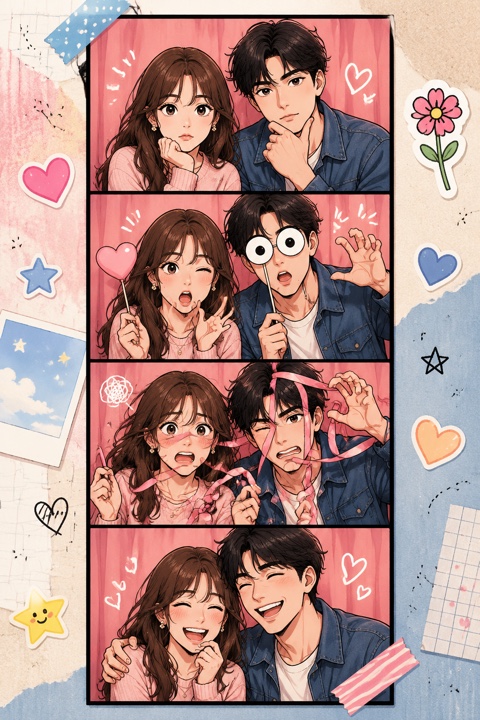
The same two characters carry the joke and emotional turn across all four panels.
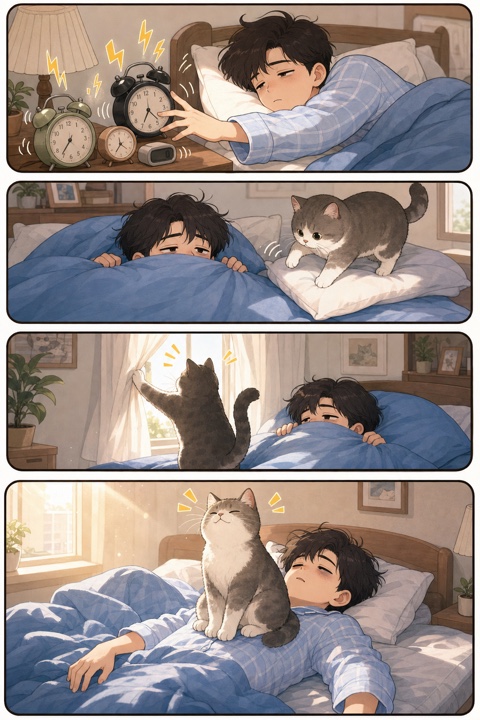
Setup, interruption, action, and payoff fit into one readable short-comic structure.
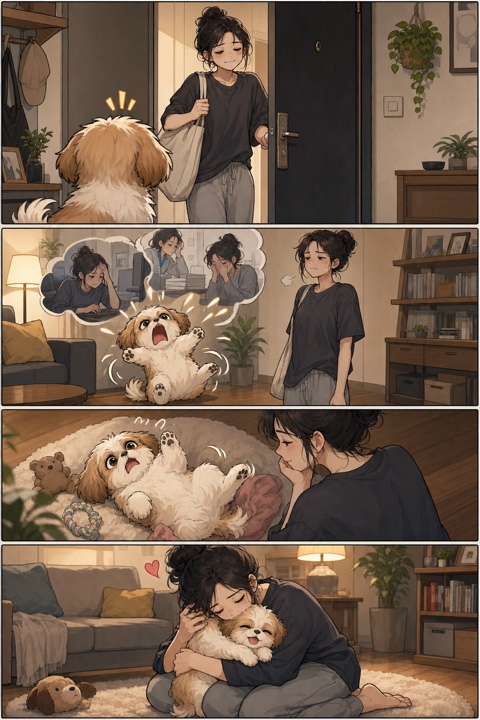
Character, room, lighting, and emotional tone remain coherent as the scene develops.
| Workflow | Single image AI | Manual comic production | StarVeil AI |
|---|---|---|---|
| Story to panels | Manual prompt-by-prompt | Manual scripting and layout | AI-directed visual beats from story text |
| Character consistency | Hard across panels | Strong but slow | Character Library guided generation |
| Dialogue bubbles | Manual design work | Manual lettering | Built into the comic workflow |
| Time to first visual | Minutes to hours | Days to weeks | The opening beat appears first |
| Best for | One-off illustrations | Professional custom art | Fast story-to-comic creation |
Begin with one readable story change: a discovery, confrontation, reversal, or punchline. The AI comic generator turns that change into a sequence of connected panels, while you review the cast, dialogue, pacing, and generated artwork before exporting or continuing.
Choose Short Comic when you want one complete, shareable result from a compact premise. Choose Series when the cast and world should keep growing. Series creation begins with the opening visual beat; you can inspect what the story actually looks like, then continue into the next beat instead of waiting for an entire episode to render blindly.
A general image generator answers one prompt with one image. An AI comic maker also has to manage panel order, recurring characters, story progression, dialogue, revision, and export so the result reads as a comic rather than a folder of unrelated illustrations.
AI output is a starting point, not a locked file. In the studio you can review the assembled strip, regenerate weak visuals, update dialogue, and guide the next story beat. This progressive workflow keeps creative decisions close to the images they affect.
Start from a premise, scene, script, or chapter context rather than an isolated art prompt. Short Comic turns a compact story into one finished strip; Series keeps the source context attached while the episode grows one visible beat at a time.
When you already have an original character image, create or upload the character reference first and cast that saved asset into the comic. The image anchors identity while the story instruction controls action, emotion, setting, and camera direction.
Series supports page-comic and vertical webtoon creation. The generated artwork is reviewed inside the same project, while final print imposition or publisher-specific prepress remains a separate layout step.
Yes. Short Comic creates a complete shareable comic from a compact idea. For a continuing series, StarVeil AI renders the opening visual beat first, then lets you review, refine, and continue the story beat by beat.
Yes. StarVeil AI uses a Character Library to store visual identity anchors such as hairstyle, outfit, facial features, and role information, then reuses those anchors across connected panels and continuing episodes.
Yes. General image tools are strong at single images. StarVeil AI is built around comic workflow: story analysis, panel order, character continuity, bubbles, and export.
Commercial use is covered by the StarVeil Terms of Service. You are responsible for having the rights to your inputs—such as source stories, characters, brands, and likenesses—and for reviewing outputs before publishing them commercially.
Yes. Enter a scene, script, premise, or chapter context. StarVeil turns the story into a complete short comic or the opening visual beat of a continuing page comic or webtoon series.
Yes. Create a character from an image you own or have permission to use, save the visual reference, then choose that character when creating the comic.
Yes. Series creation supports page-comic as well as vertical webtoon workflows. For print publishing, complete trim, bleed, color-profile, and imposition work in a dedicated prepress tool.
Create a reusable original character before choosing the story.
Save a full-body identity and complete Looks for repeated casting.
See exactly what the signup and daily free credits can create.
Put your own reusable character into short comics and serial stories.
Use character profiles, reference images, and review checkpoints to reduce visual drift.
Understand the broader AI comics workflow and category.
Create vertical-scroll webtoons for mobile reading.
Japanese manga-style comic production from story text.
Convert screenplays and scripts into comic episodes.
Compare StarVeil AI with Midjourney, Leonardo, and other tools.
Reduce character drift in a page-generator workflow and know when persistent references are needed.
Start from a designed story structure, then swap in your own character.
Two-person stories such as a shared charging cable or a thermostat treaty.
Office humor: a meeting that could have been an email, a camera left on.
Create or choose the cast, give them a story, and reuse them across short comics and serial episodes. Get 50 credits when you sign up.
Create your first comic