
Crisp Blocky Pixel Outlines
Edges are formed by clear square pixels without antialiasing. Characters and objects are reduced to readable blocky silhouettes, keeping only the key identifying details.
Retro Pixel Art
Retro Pixel Art builds each panel with crisp blocky pixels, a limited color palette, and simplified details, so character silhouettes and key designs stay readable. It suits short comics, visual stories, and webtoon series with a retro game or playful tone.
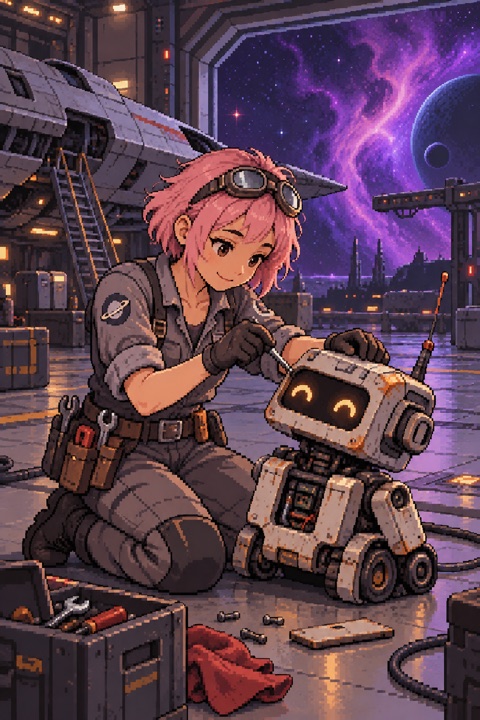
Edges are formed by clear square pixels without antialiasing. Characters and objects are reduced to readable blocky silhouettes, keeping only the key identifying details.
The style uses a small set of colors applied as flat pixel clusters. Shading relies on darker pixel tones rather than smooth gradients, giving panels a crisp, retro game look.
Light usually comes from one clear main source, with bright pixel blocks marking the lit side. Complex ambient light or soft falloff is rare, so light and shadow stay distinct.
Faces are reduced to pixel-level eyes, brows, and mouth while keeping each character recognizable. Backgrounds use limited pixel blocks to suggest space without distracting from the action.
The clear pixels and limited palette naturally evoke 8-bit and 16-bit game screens. Turn-based fights, treasure hunts, or gag beats read well because simple pixels can carry key actions and expressions without losing focus.
The pixel texture carries a built-in sense of memory, recalling arcades, handheld consoles, and early computer games. It works for short stories about friendship, childhood, or growing up, letting emotion concentrate in a low-detail, high-readability frame.
Because details are simplified, this style is great for casts with distinct silhouettes and iconic shapes. Even in small panels or partial views, characters stay quickly recognizable to readers.
It is not suited for stories that need fine facial expressions, intricate costume texture, or cinematic lighting. It also struggles with slow, atmospheric pieces that rely on soft color transitions and dense environmental detail.
Design beats around body movement, facing, and prop changes instead of subtle eye or mouth shifts. A clear hand raise, turn, or item exchange renders far more legibly in pixels than a faint smile.
Keep one or two key elements in each panel, such as a character plus a door or a character plus a chest. Simple background shapes help the model produce clean pixel clusters rather than noisy, complicated settings.
Plan high-contrast moments, like a single light in a dark room or a red object on snow. The limited palette makes these contrasts pop and guides the reader's eye to what matters.
Retro Pixel Art uses crisp square pixels, a limited color palette, and simplified details to build panels. It avoids antialiasing and looks like early video game or pixel art visuals, keeping character silhouettes readable.
Retro game adventures, light comedy, nostalgic coming-of-age tales, and silhouette-driven ensembles work well. Stories that need fine facial nuance or dense texture may not match.
Yes. The style is locked per work so every panel stays in Retro Pixel Art. Characters are reused through character cards and references; as long as the card defines the silhouette and key details, the character stays recognizable.
No, it can sharpen mood when you write high-contrast scenes. A single light in a dark room or a bright prop on a muted background becomes more striking in this style.