
AI Comic Export Checklist (Before You Publish, What to Check, and a File Naming Plan)
A copyable pre-publish checklist for AI comics: reading order, text at delivery size, continuity, watermark and download rights, file naming, privacy, and the destination platform rules.
Quick Answer
Before you export an AI comic, check that every image is present and in reading order, that dialogue is exact and readable at the size readers will see it, that characters and outfits stay consistent, that you have the download rights you need for the files you are exporting, that the file names sort in reading order, that nothing private appears, and that the platform you are posting to accepts AI-assisted work in the format you have. Do the check once on the final set, not image by image.
| Key Stats | |
|---|---|
| Order | No missing, duplicate, or misordered images |
| Text | Exact names and punctuation, readable at delivery size |
| Rights | Free-plan downloads carry a watermark; paid plans include unwatermarked originals |
| Files | Numbered names that sort in reading order |
Last updated:
Before you export an AI comic, check that every image is present and in reading order, that the dialogue is exact and readable at the size readers will see, that characters and outfits stay consistent, that you have the download rights you need, that the file names sort in reading order, that nothing private appears, and that the platform you are posting to accepts your format. It is faster to do this once on the finished set than to fix problems after a post goes live. Below is a checklist you can copy, a file naming plan, and what to watch for on the platform side.
Why a final check is worth it
Generation tools make it easy to produce images and easy to lose track of them. A comic that reads well on your screen can break when it is exported: a file lands out of order, a bubble is cut, a name is misspelled, or a leftover reference image sneaks into the set.
Problems are cheaper to fix now
Fixing a wrong name or a redrawn panel takes minutes before publishing. After publishing, you may have to re-upload and lose the early readers who saw the error.
Readers judge the whole package
Readers do not separate the story from the delivery. A missing panel or a misordered set feels like a story problem, even when the story is fine.
The export checklist (copy and paste)
AI comic export check
Sequence
[ ] Every image is present; none is duplicated
[ ] The order matches the story; file names sort in reading order
Text
[ ] Names, punctuation, and speaker labels are exact
[ ] Every bubble is readable at phone width without zooming
Continuity
[ ] Faces, hair, and outfits match across images
[ ] Props and injuries carry through as the story requires
Rights and files
[ ] I know whether these files carry a watermark on my plan
[ ] Format and dimensions fit where I am posting
[ ] Cover and title image chosen
Privacy and rules
[ ] No private names, addresses, faces, or source text I do not own
[ ] I have read the platform's current AI-content rules
[ ] I know whether I need to label the work as AI-assisted
Check the sequence and the files
Start with the structure, then the details. Open the full set at once, scroll through it as a reader would, and note anything that jumps.
Reading order
Confirm the story flows from the first image to the last with nothing missing. If you regenerated a panel, make sure the new version replaced the old one rather than sitting next to it.
A file naming plan
Sorting problems come from unpadded numbers. Name files with a fixed width and a short title so that any file browser puts them in the right order.
| Problem name | Sorts as | Better name |
|---|---|---|
| page2.png, page10.png, page1.png | page1, page10, page2 | ep01-p01.png, ep01-p02.png, ep01-p10.png |
| final.png, final2.png, final-new.png | Alphabetical, not reading order | ep03-cover.png, ep03-p01.png |
| image (3).png | Unclear | ep02-p03.png |
When you download several images from one work at once, they come as a ZIP in page order, so keep that order when you rename.
Read the text at delivery size
Text is where small errors hide. Check names, punctuation, and who is speaking, then check size and crowding.
Exactness
Read every line against your script. Watch for a name spelled two ways, a missing question mark, or a bubble attributed to the wrong character.
Legibility
Open the export on a phone or at the same width your readers will use. If a line needs zooming, shorten it or give it more room before you export.
Rights, watermarks, and privacy
Know what you are publishing and what you are allowed to publish.
Watermarks and original downloads
On the free plan, downloads carry a watermark. On paid plans, short comic downloads are unwatermarked originals. Before posting, check the pricing page for the current details so you know which files you can use.
Your source material
You are responsible for having the rights to any text, images, or characters you bring in. Do not include private names, addresses, faces of people who have not agreed, or unpublished text from someone else.
Check the destination
Platforms differ in image width, file size, and how they treat AI-assisted work. The right numbers change, so look up the current requirements rather than relying on a table from months ago. The webtoon canvas and export sizes guide is a good place to start for vertical formats, and the guide to whether Webtoon allows AI art covers one major platform's policy question.
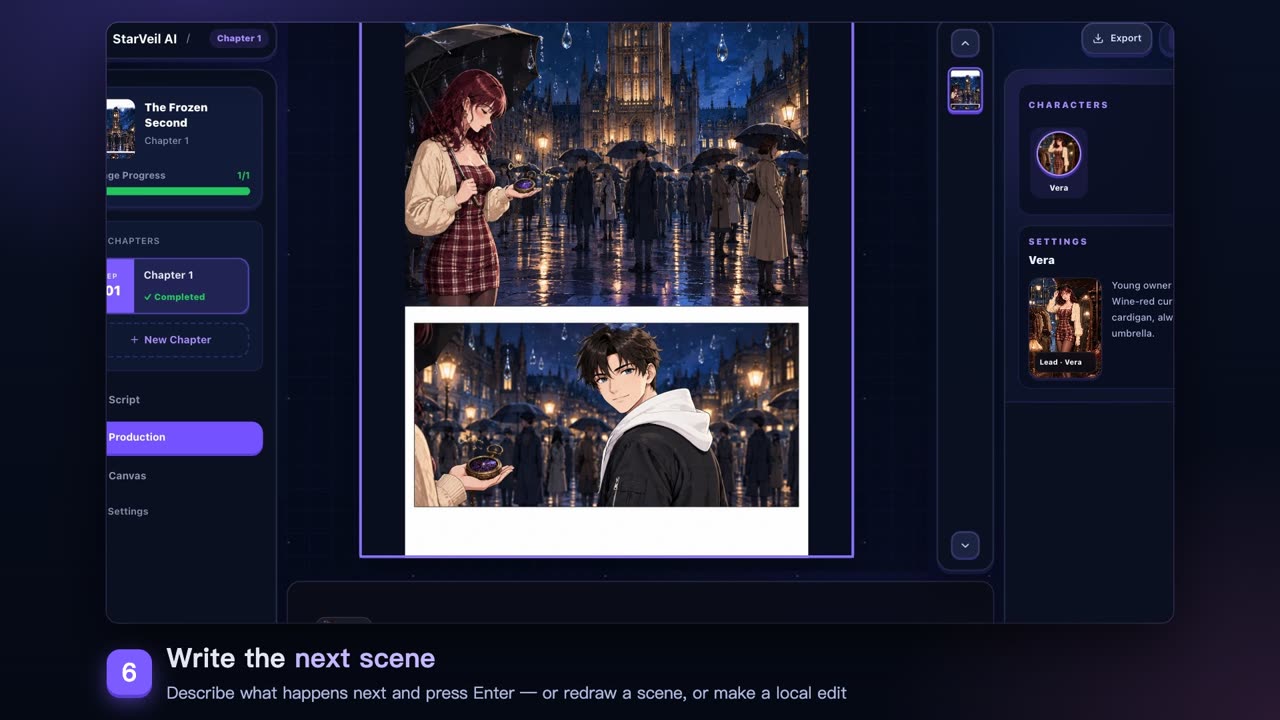
In StarVeil AI, you can review every scene in the Studio before exporting, redraw or edit a scene, and download the finished work from your comics. If you are still deciding on the format, the AI webtoon maker and the AI comic generator compare the options. To keep characters stable across a long run before you export, see the comic scene continuity checklist. Comics made from a template remix export the same way, so the checklist applies whether you started from a blank idea, a ready-made character in the character card library, or one of the comic templates.