
Identify the production need
Use Ideogram for flexible standalone image creation and editing. Use StarVeil AI when the result must continue as a readable comic episode with persistent story and cast context.
StarVeil AI vs Ideogram
Ideogram combines strong text rendering with Character Reference, Remix, Magic Fill, and a general image canvas. StarVeil AI is built around a different job: directing story beats, reusing a cast across an episode, reviewing generated comic scenes, and exporting a vertical reading experience.
StarVeil AI product evidence
The latest product captures show how StarVeil connects reusable character assets to a continuing episode instead of treating every image as an isolated generation.
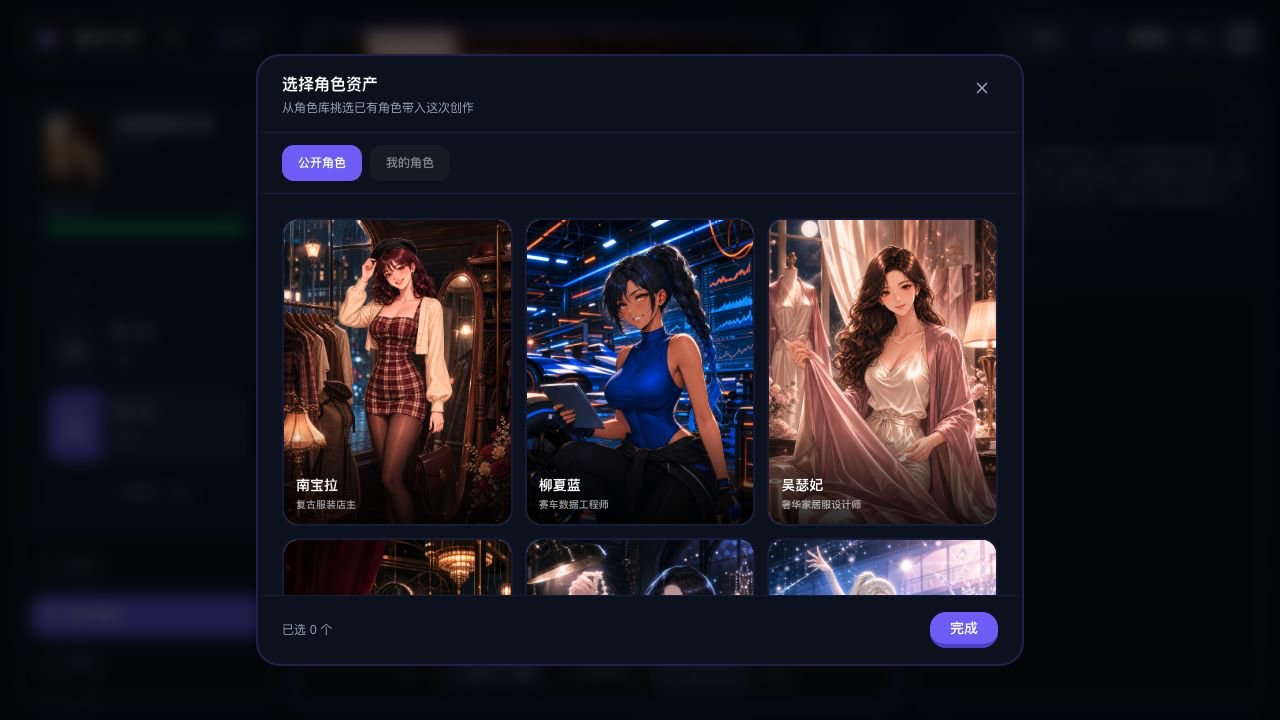
Choose a public or owned character asset and attach it to the comic scene from inside the workflow.
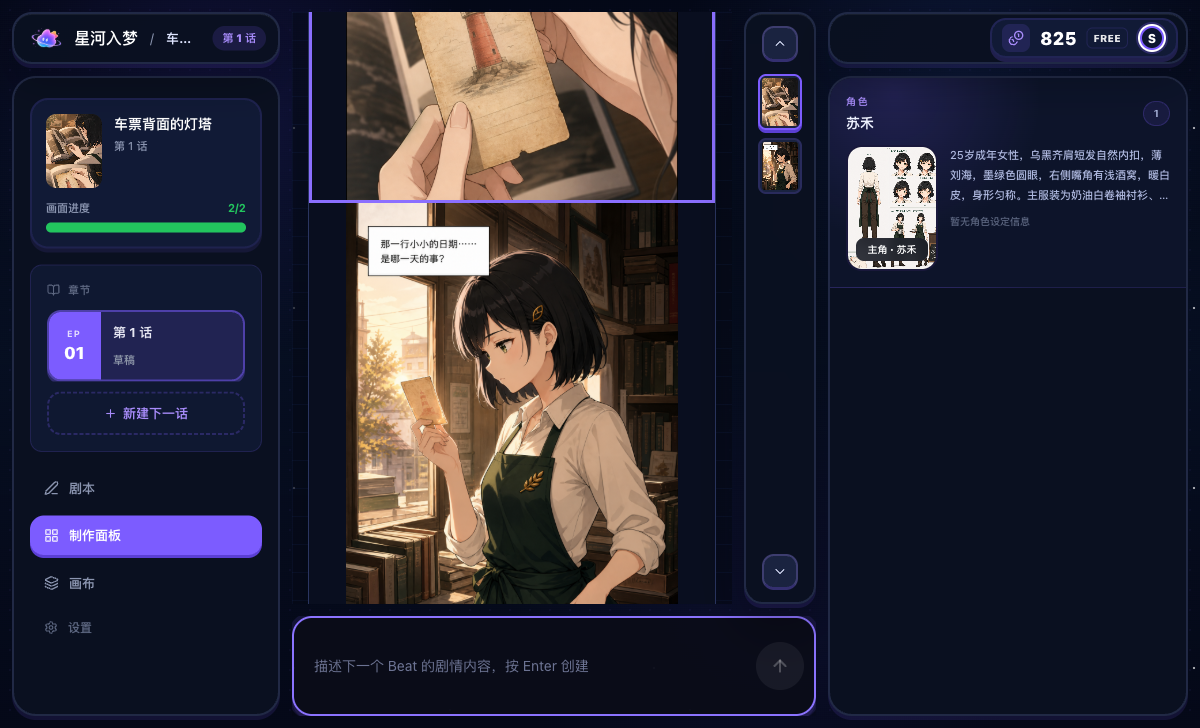
The episode, generated beats, active cast, and next-scene composer remain visible together.
The StarVeil promise
Create or choose a reusable cast, place those characters into short comics, remixes, or serial stories, and keep their identity across panels and episodes.
Choose Ideogram when you need flexible standalone images, typography, Character Reference, and canvas editing. Choose StarVeil AI when you need a comic-specific workflow that keeps story state, reusable characters, generated beats, revision, and vertical-scroll export together.
Use Ideogram for flexible standalone image creation and editing. Use StarVeil AI when the result must continue as a readable comic episode with persistent story and cast context.
StarVeil AI directs one visible story beat at a time and keeps episode context in Studio. With Ideogram, creators plan and manage the sequence outside the image-generation workflow.
StarVeil AI assembles the generated episode into a vertical reading format. Ideogram remains useful for individual images, covers, signs, and typography-heavy assets.
Ideogram is strong for typography and design assets. StarVeil generates comic text inside the artwork, supports revision through regeneration, and keeps explicit user-added overlays separate.
StarVeil AI keeps story beats, episode progress, the active cast, and export in one product flow. Ideogram offers a general image workflow that creators can incorporate into their own sequence pipeline.
Ideogram Character Reference reuses identity from a reference image. StarVeil stores characters as reusable comic assets tied to story and episode workflows.
Use Ideogram for covers, title cards, typography, or standalone assets. Use StarVeil AI to direct and assemble the continuing comic episode.
| Need | Ideogram | Manual work required | StarVeil AI |
|---|---|---|---|
| Text-in-image (logos, posters) | Best-in-class embedded text rendering | Minimal for text-in-image needs | Comic dialogue is primarily generated inside the artwork |
| Comic dialogue | Strong embedded-text generation and image editing | Creators manage dialogue continuity and assembly | Comic text generated in-image; revise source text and regenerate when needed |
| Story to panel sequence | General image generation and canvas editing | Plan and track the narrative sequence yourself | Progressive story beats with episode context in Studio |
| Character consistency | Character Reference from a reusable reference image | Manage the character across your own sequence | Reusable character assets connected to comic creation workflows |
| Comic assembly & export | Individual images and canvas outputs | Assemble the episode in another workflow | Vertical-scroll comic export from the episode workflow |
This comparison was reviewed in August 2026. Ideogram now includes Character Reference, Remix, Magic Fill, and canvas editing, so the comparison focuses on production workflow rather than claiming those capabilities do not exist.
Ideogram is a flexible image-generation and editing product. StarVeil AI is specialized around story state, reusable comic characters, progressive episode generation, and vertical reading output.
Comparison evidence
This independent comparison focuses on workflow fit, not a universal winner. Product features, prices, and creator programs can change; confirm time-sensitive details on each product's official site before deciding.
No first-party source links are attached to this comparison yet. Treat specific competitor claims as an editorial overview and verify them before purchase.
Ideogram is strong at typography and embedded text for posters, covers, signs, and standalone images. StarVeil AI focuses on keeping comic text, story progression, reusable characters, and episode output in one workflow.
Yes. Ideogram can produce covers, title cards, signs, or standalone visual assets, while StarVeil AI manages the continuing comic episode and vertical export.
Choose StarVeil AI when you want a comic-specific workflow with progressive story beats, reusable character assets, episode state, revision, and vertical export. Choose Ideogram when individual image creation and editing are the main job.
Create or choose the cast, give them a story, and reuse them across short comics and serial episodes. Get 50 credits when you sign up.
Create with your characters free